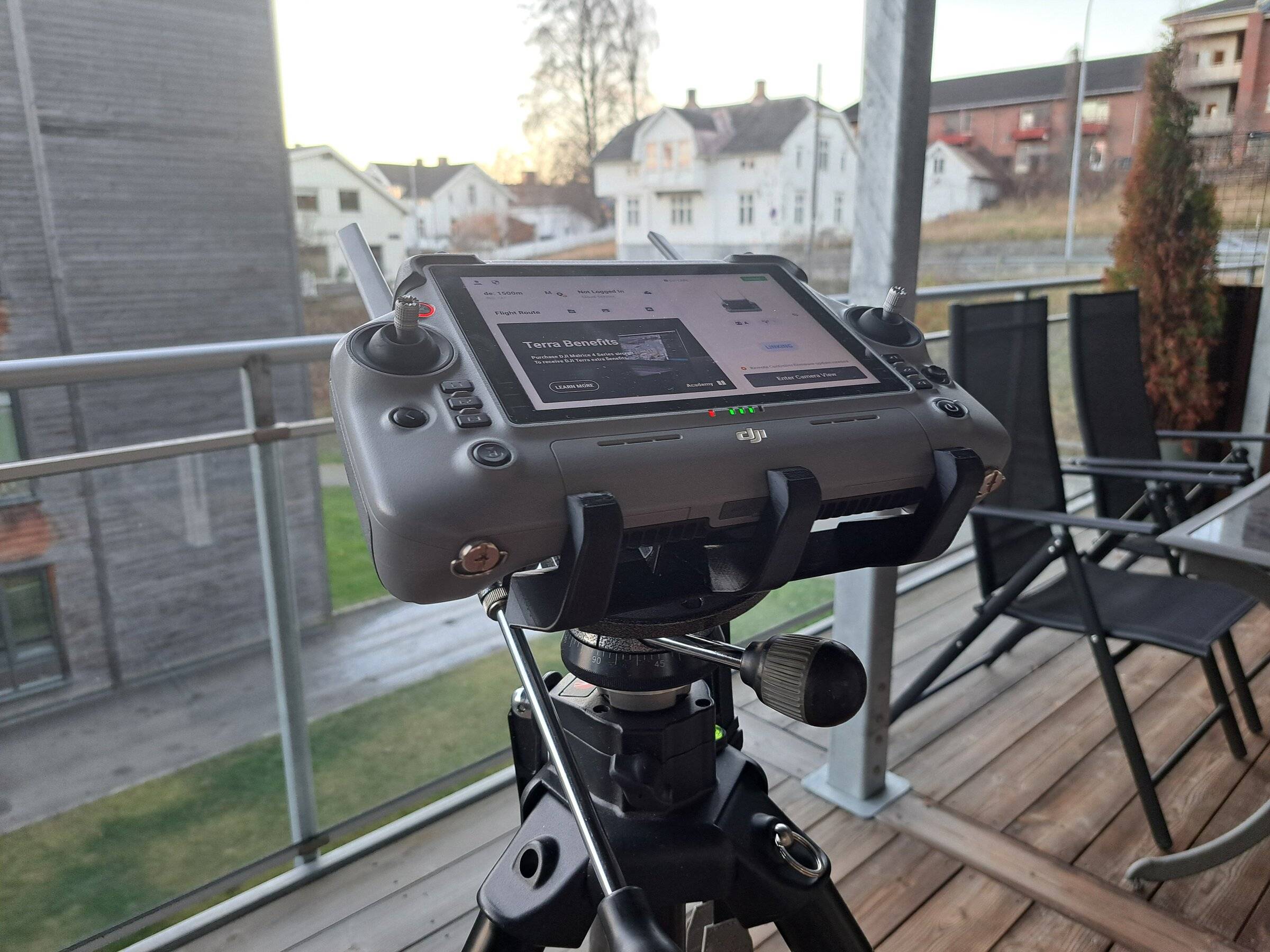
Tripod adapter for the DJI RC Plus 2
A 3D print that holds the controller on a tripod during mapping flights. Free 3MF and STEP, CC BY 4.0.
On a mapping day the Matrice 4 Enterprise flies an automated mission, and the DJI RC Plus 2 spends the whole flight in someone's hands. We wanted it on a tripod instead, at eye level with our hands free, so we designed an adapter and printed it. It works well for us, so we're sharing it.
How it holds the controller
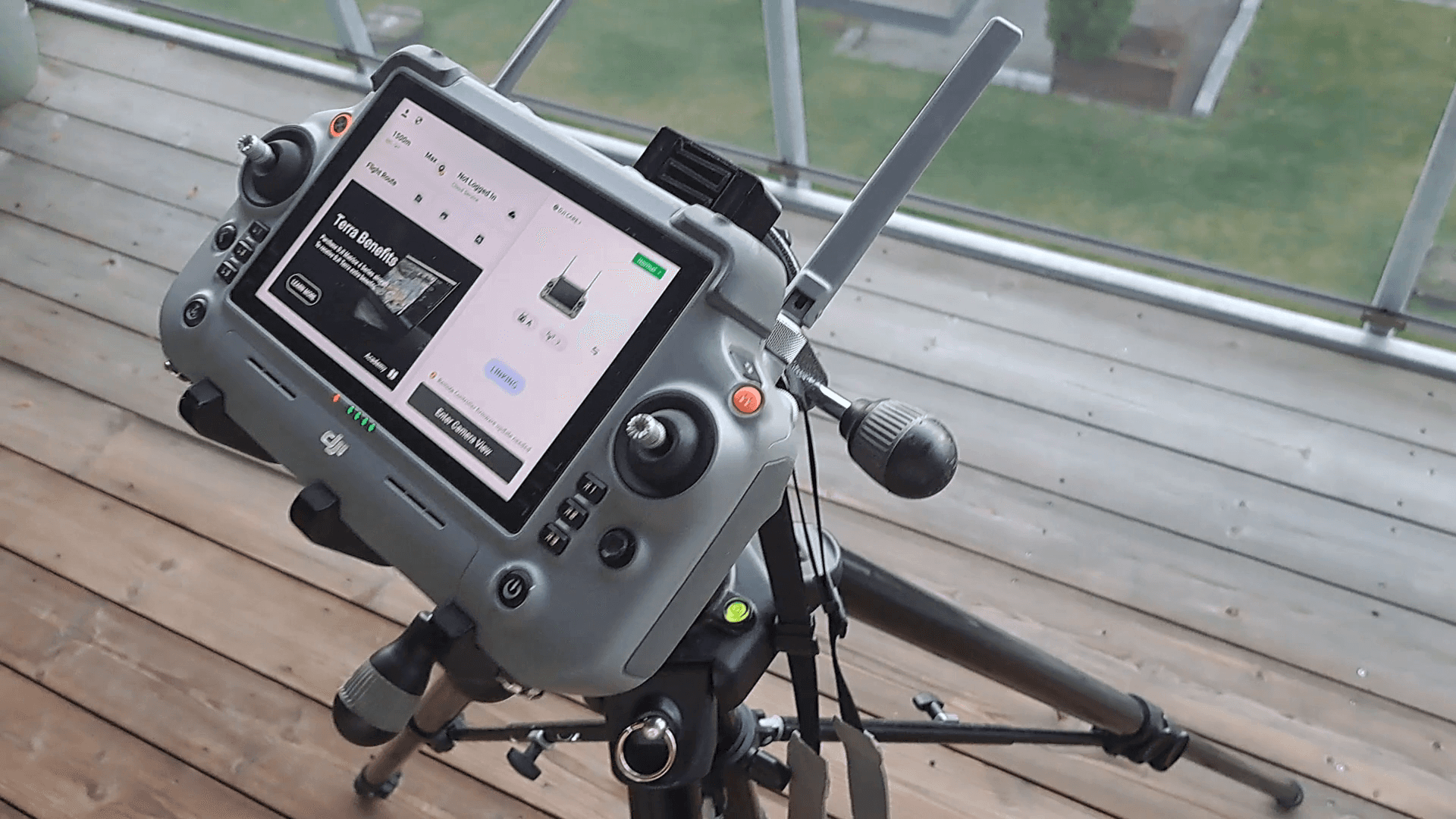
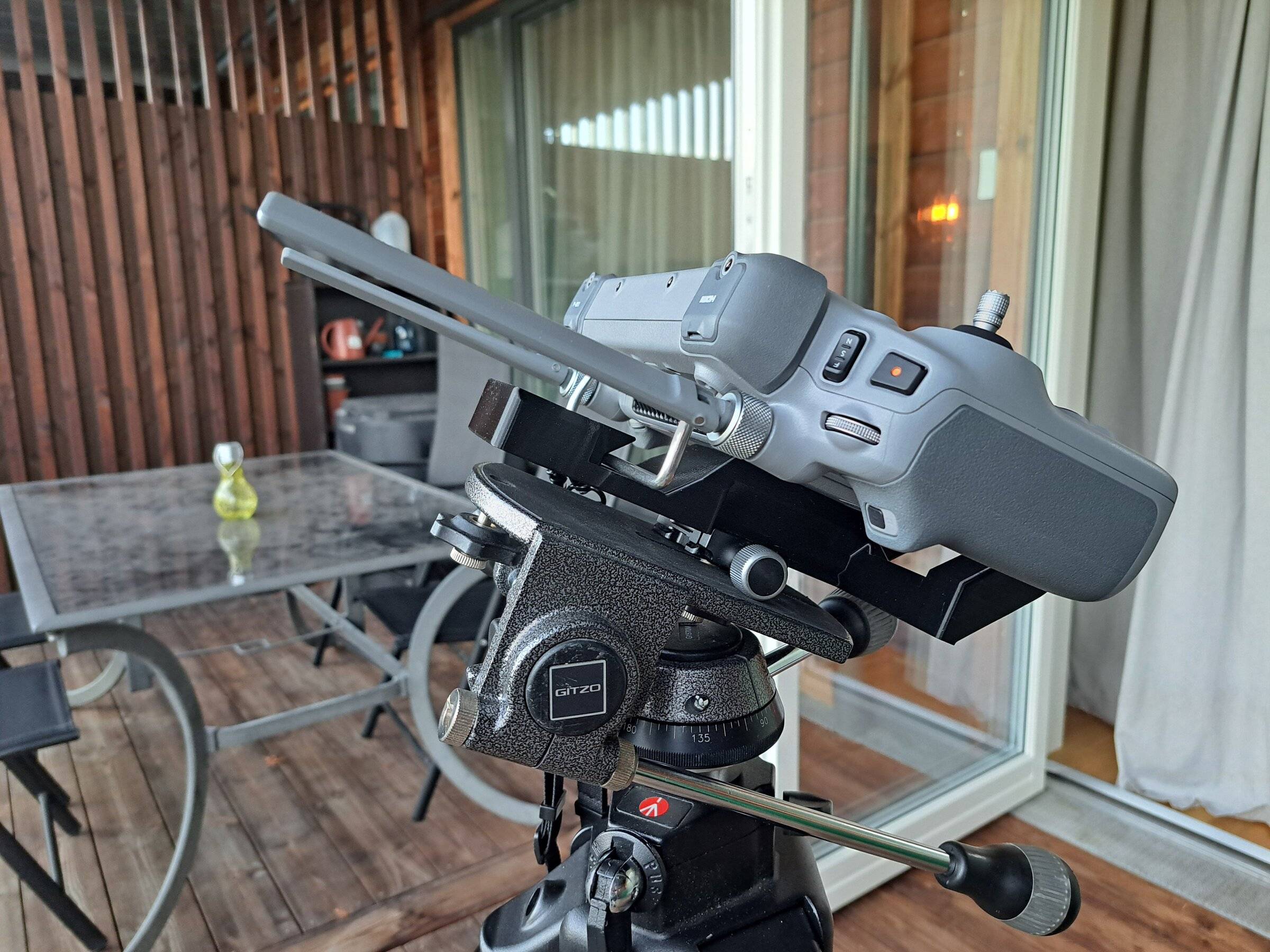
Nothing stays on the controller, so it still fits its case.
- Slide the metal rod on the back of the controller into the spring jaw.
- Push the controller back against the spring and lower its bottom edge under the three hooks.
- Let go: the spring holds it. To remove it, push back and lift.
Printing it
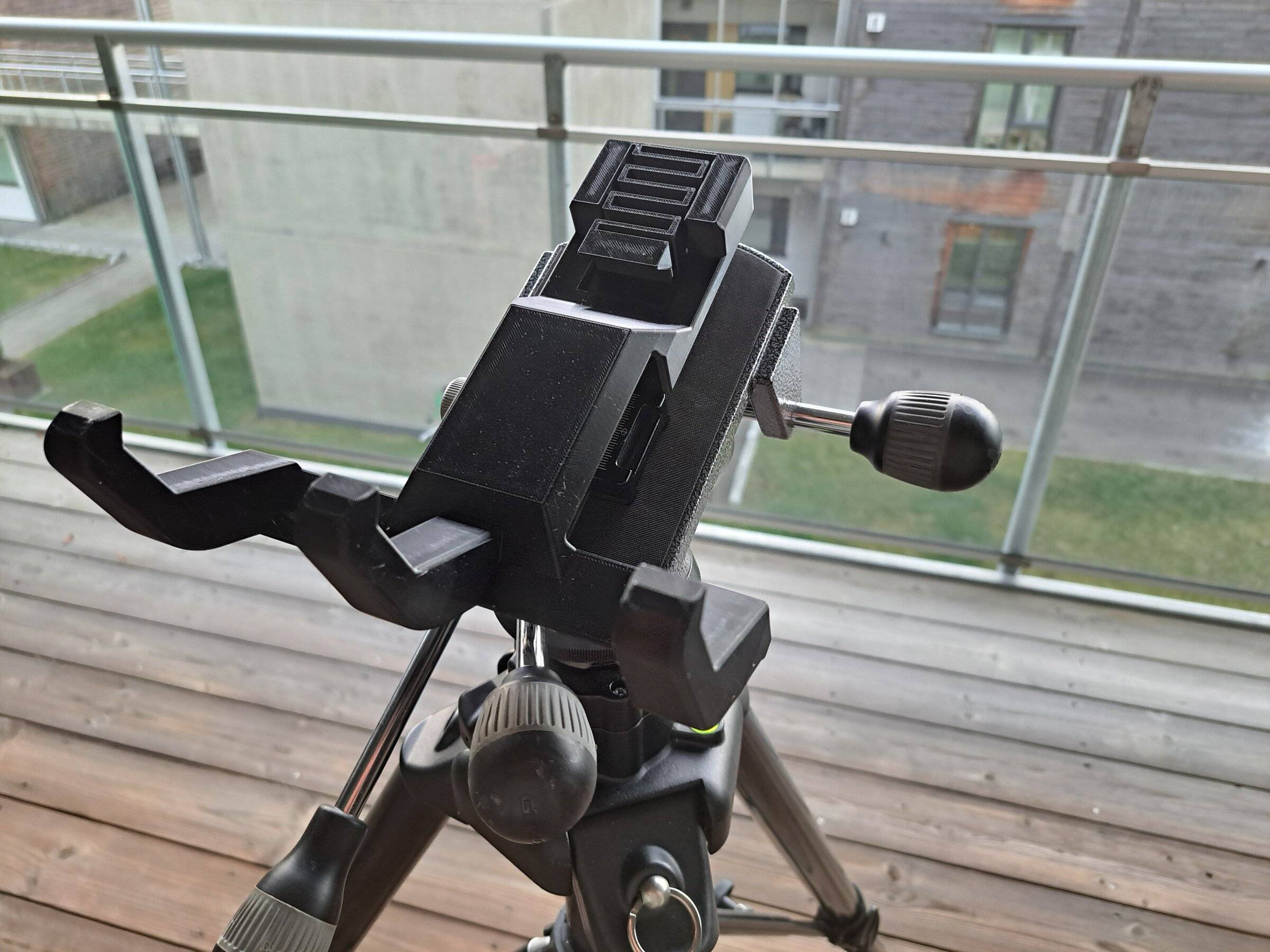
The adapter prints flat on its underside, with no supports. The spring jaw and its spring print in place, in one piece with the rest of the part.
| Material | PETG |
|---|---|
| Walls | 6 |
| Infill | 30 %, gyroid |
| Supports and brim | None |
| Size on the bed | 174 × 207 mm, 87 mm tall |
Use PETG: the spring needs some flex, and PETG holds up in the sun better than PLA.
After printing, check that the spring jaw slides freely. If it is stuck to the base, cut along its 0.6 mm gaps with a knife.
Files
Shared under CC BY 4.0: print it, change it and share it, with credit to Alos.
We made this for our own work and it's not a DJI product. Print and use it at your own risk. If you print one, change it or find a problem, we'd like to hear about it.
